

For parents
Run the Whole Family’s Season From One Place.
Calendar Crew is the family calendar for parents with kids in sports. It pulls every team's schedule into one place, whatever app or flyer it comes from, tells you what's next and when to leave, and lets you split the driving, snacks, and RSVPs with your co-parent and the rest of your crew.

How It Works
- 1
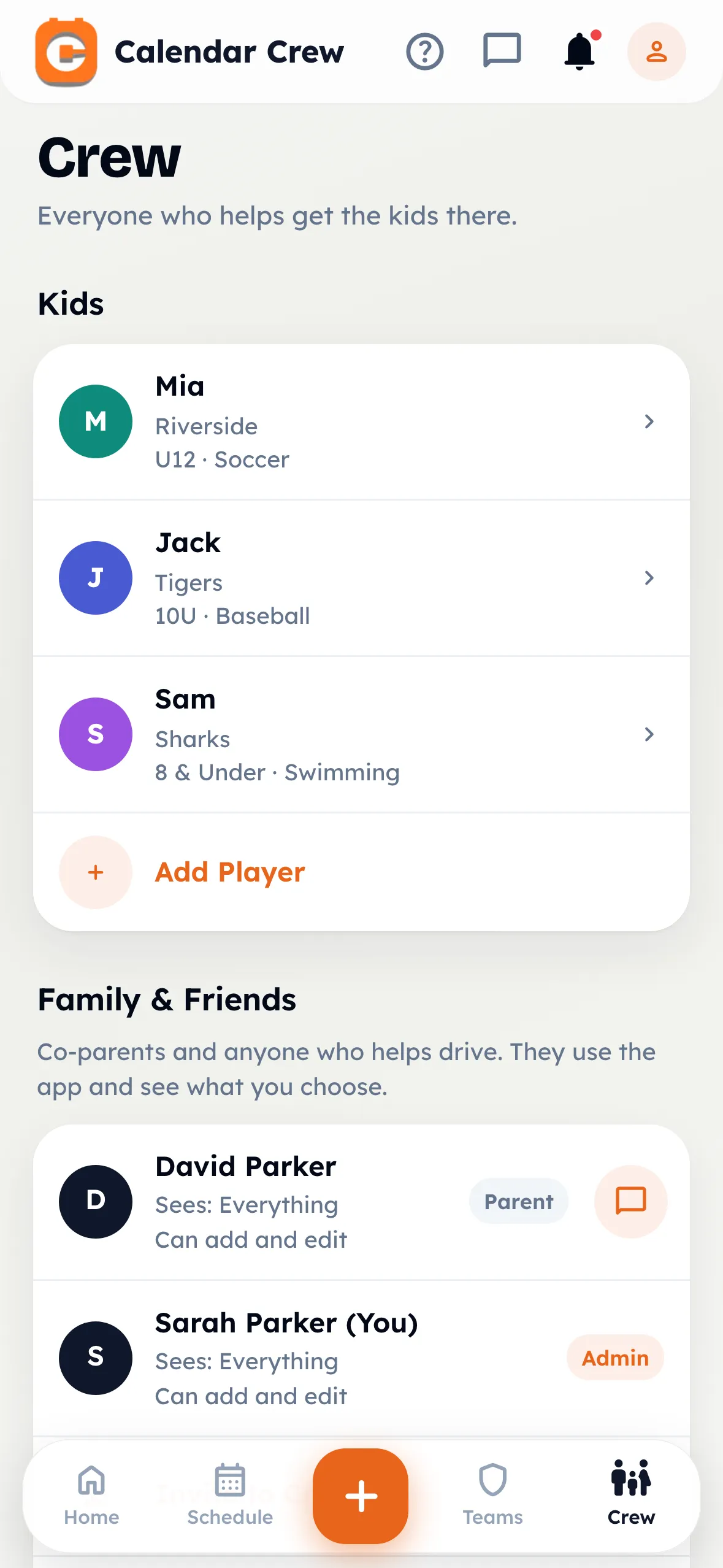
Add Your Kids
Each kid gets their own color, and their teams, grade or level, and sports.
- 2
Bring In Every Schedule
Snap a flyer, paste a link, connect TeamSnap or Google, or say it out loud.
- 3
Invite Your Crew
Your co-parent sees everything. Sitters and helpers see just the kids you choose.
Built for the Juggle
Three kids, five teams, and a work calendar make for a lot of moving parts. Calendar Crew keeps them in one view and warns you before two things collide.
- Overlaps flagged before game day
- A time-to-leave alert for whoever is driving, with Crew Plus
- An evening heads-up about tomorrow, including drives that still need a driver
Share the Load
Your co-parent can see and change everything. Grandparents follow along by link. Sitters, nannies, and carpool friends see only the kids you choose, so everyone has what they need and nothing they don't.
Parents
Common Questions.
What does it cost?
Calendar Crew is free for up to six kids, six people in your crew, and two teams in season, with five AI schedule imports a month. Crew Plus is $79 a year or $9.99 a month and covers the whole family.
Can my co-parent see and change everything?
Yes. Invite them to your crew and they can see every kid and add and edit events.
Can a sitter see just one kid?
Yes. Anyone you invite can be limited to the kids they help with.
Does it work with our team apps?
Yes. Calendar Crew brings in schedules from TeamSnap, GameChanger, Heja, ParentSquare, Google Calendar, and any calendar link.
Get Your Season on One Calendar.
Join the early-access list and we'll email you the moment a spot opens up.
Free while in early access. No credit card.