
Game day
Never Ask “Who's Driving?” Again.
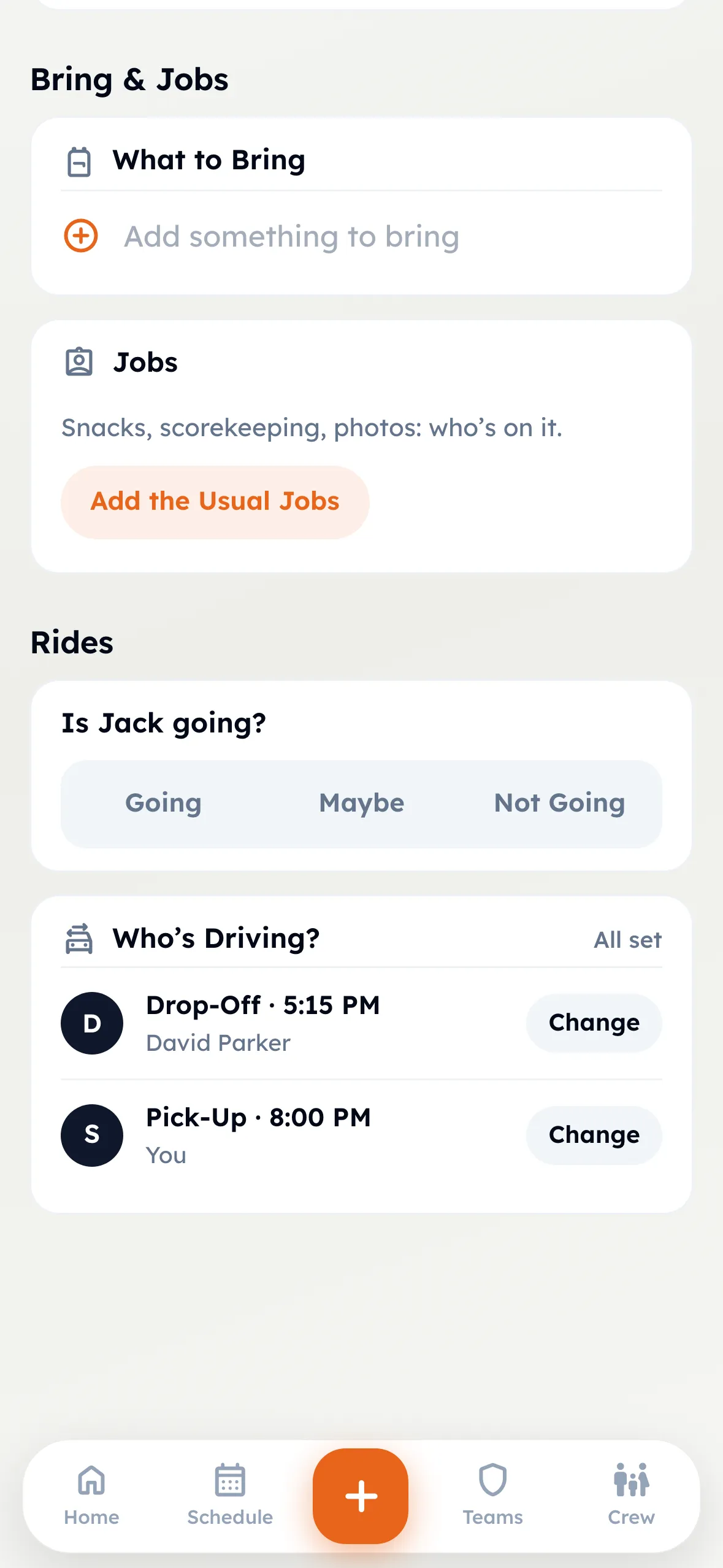
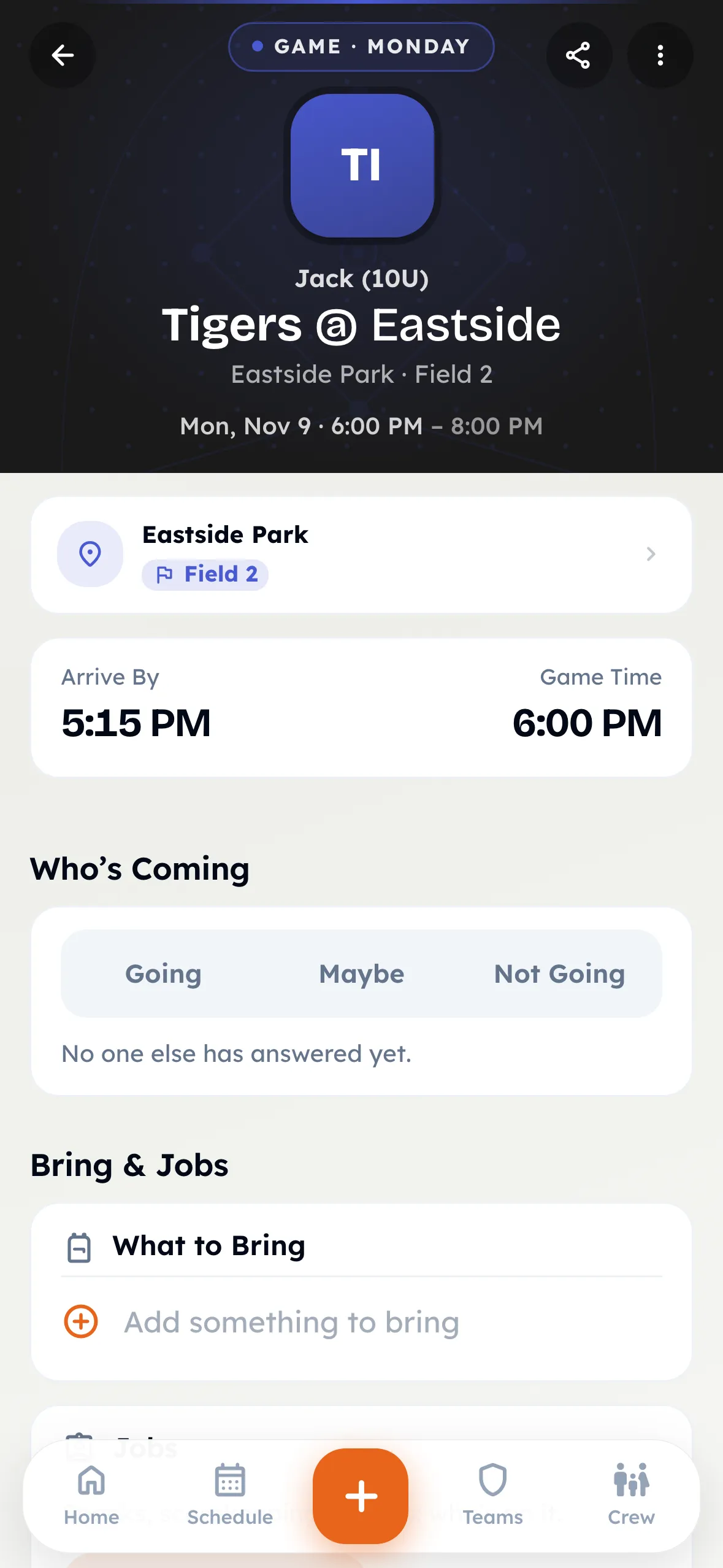
Every event in Calendar Crew has a drop-off and a pick-up to claim. Tap one and your whole crew sees who has it, and any drive still open shows up in the evening heads-up the night before. The same game page shows who's coming, what to bring, and who has snacks.
How It Works
- 1
Claim a Drive
Tap drop-off or pick-up, or pick someone in your crew by name.
- 2
Everyone Sees It
The driver shows on the game and on Home, so nobody has to ask.
- 3
Get a Nudge
With Crew Plus, the driver gets a time-to-leave alert about 15 minutes before it is time to go.
Who's Coming
For games and events, everyone in your crew can answer Going, Maybe, or Not Going, and parents hear who is coming. A kid's own parents are asked whether the kid is going; the rest of the crew isn't.
What to Bring, and Who Has Snacks
Each game has a What to Bring checklist and a list of jobs like snacks, scorekeeping, and photos. A parent taps I’ll Do It, or picks someone by name, and everyone sees who is on what.
Grandma Can Drive Too
Put a grandparent or family friend on a drive just this once, even if they only follow along by link. That event shows up on their link with the address, so they know exactly where to go.
- Who's Driving is free for every family
- A drive with nobody on it turns orange in the last 24 hours
Works at the Field, Even With No Signal
Fields, gyms, and rinks often have no signal. Calendar Crew keeps your schedule and your next games on your phone each time you open it, so the time, arrive-by, address, and field are there when you need them, with a note saying how fresh they are.
- The leave-by time counts the traffic expected then, plus a few minutes to park
Who's Driving
Common Questions.
Is Who's Driving free?
Yes. Who's Driving, Who's Coming, and What to Bring and Jobs are part of every plan.
Can someone without the app drive?
Yes. Put a grandparent or friend who follows along by link on a drive, and that event shows on their link with the address.
Does the driver get a reminder?
Yes, with Crew Plus. About 15 minutes before it is time to head out, the driver gets a time-to-leave alert with the drive time and when warm-ups start.
Does it work at the field with no signal?
Yes. Calendar Crew keeps your schedule and your next games on your phone, so with no connection you still see the time, arrive-by, address, and field. The latest schedule loads as soon as you're back online.
Is this a public carpool board?
No. Who's Driving is for the people in your own crew: co-parents, grandparents, and the friends who help with rides.
Get Your Season on One Calendar.
Join the early-access list and we'll email you the moment a spot opens up.
Free while in early access. No credit card.