
Features
Everything Your Sports Family Needs, in One Place.
Calendar Crew pulls every team's schedule into one calendar, tells you what's next, sorts out rides and snacks, and keeps the grandparents in the loop. Here's what it does.
Import any schedule
Snap It, Paste It, or Just Say It.
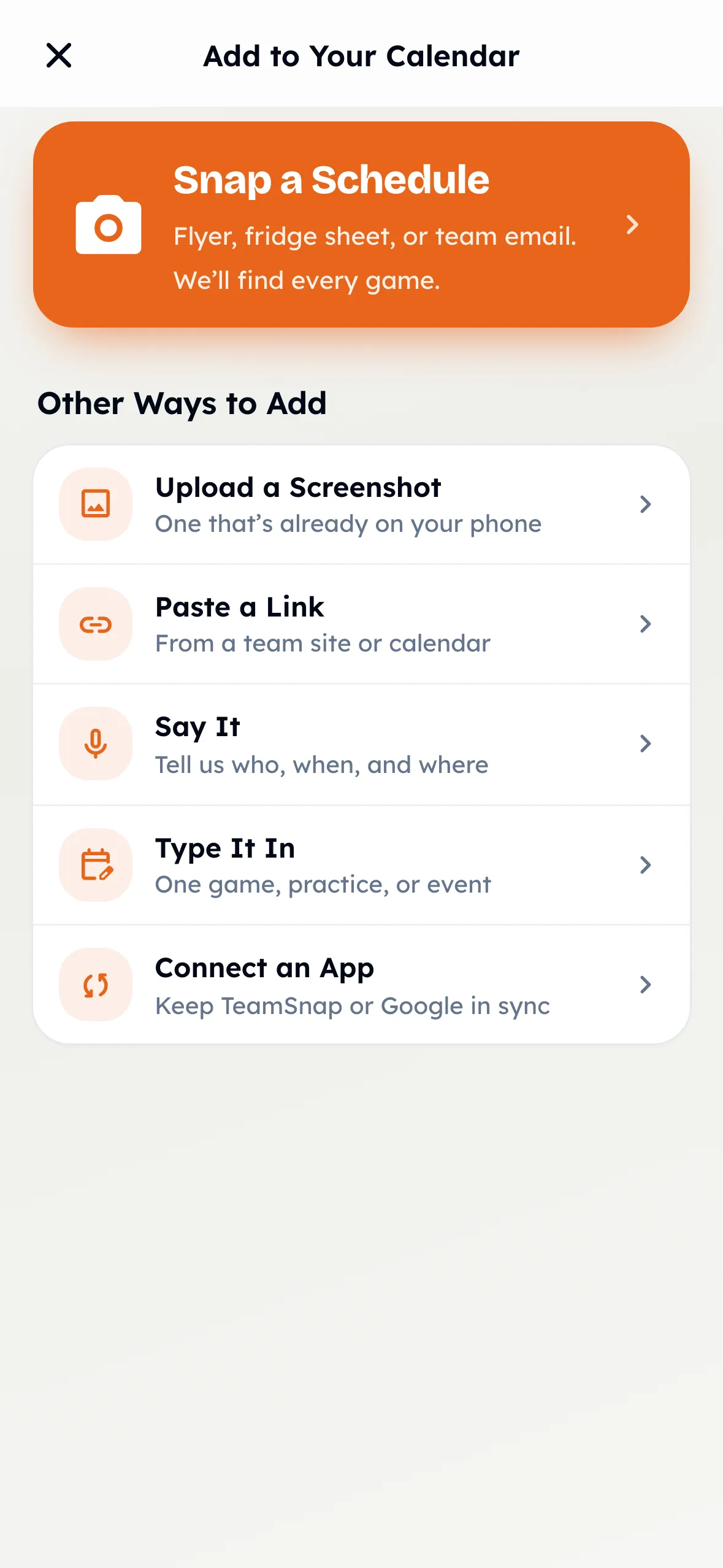
Take a photo of the flyer on the fridge, forward the coach's email, upload a screenshot, paste a link to the team page, or say the schedule out loud. Calendar Crew reads the dates, times, and places, works out the team and which of your kids it's for, and shows you everything it found before anything is added.
- Change anything on the review screen: date, time, event type, or sport
- A weekly practice goes in once and repeats for the season
- Forward the coach's email to your family's own address, attached flyers and PDFs included
- Calendar links from GameChanger, TeamSnap, Heja, ParentSquare, Google, and your school's athletics calendar bring in the full season
What's next
Open the App, See What's Next.
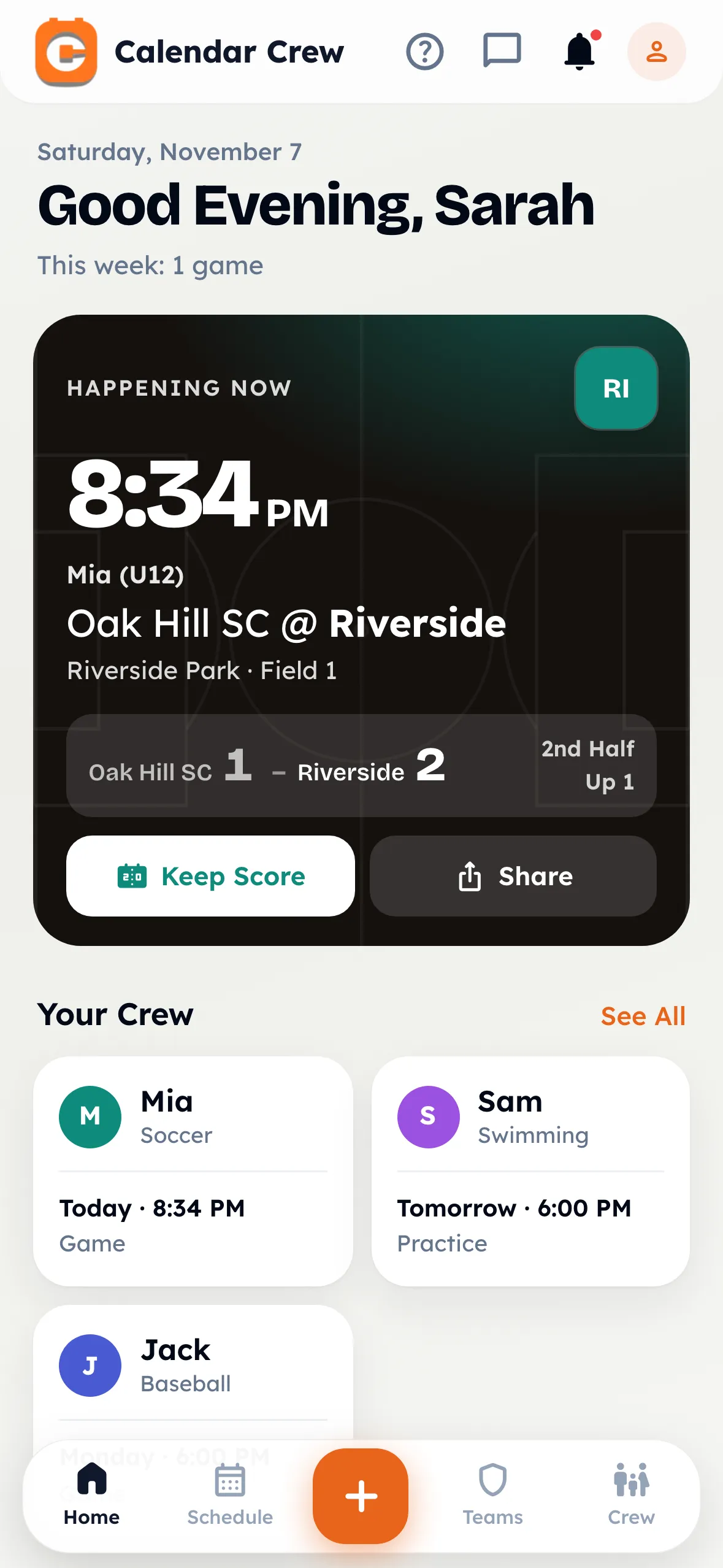
Home starts with the next thing on the calendar: the time, the place, and when to arrive, with directions one tap away. During a game it shows the live score, with Keep Score one tap away. Underneath is each kid's next practice or game, and a heads-up if anything overlaps or has changed.
- An arrive-by time that allows for warm-ups
- A quick count of the week's games and practices
- Share the next game with family in one tap
One family calendar
Every Kid, Every Team, One Calendar.
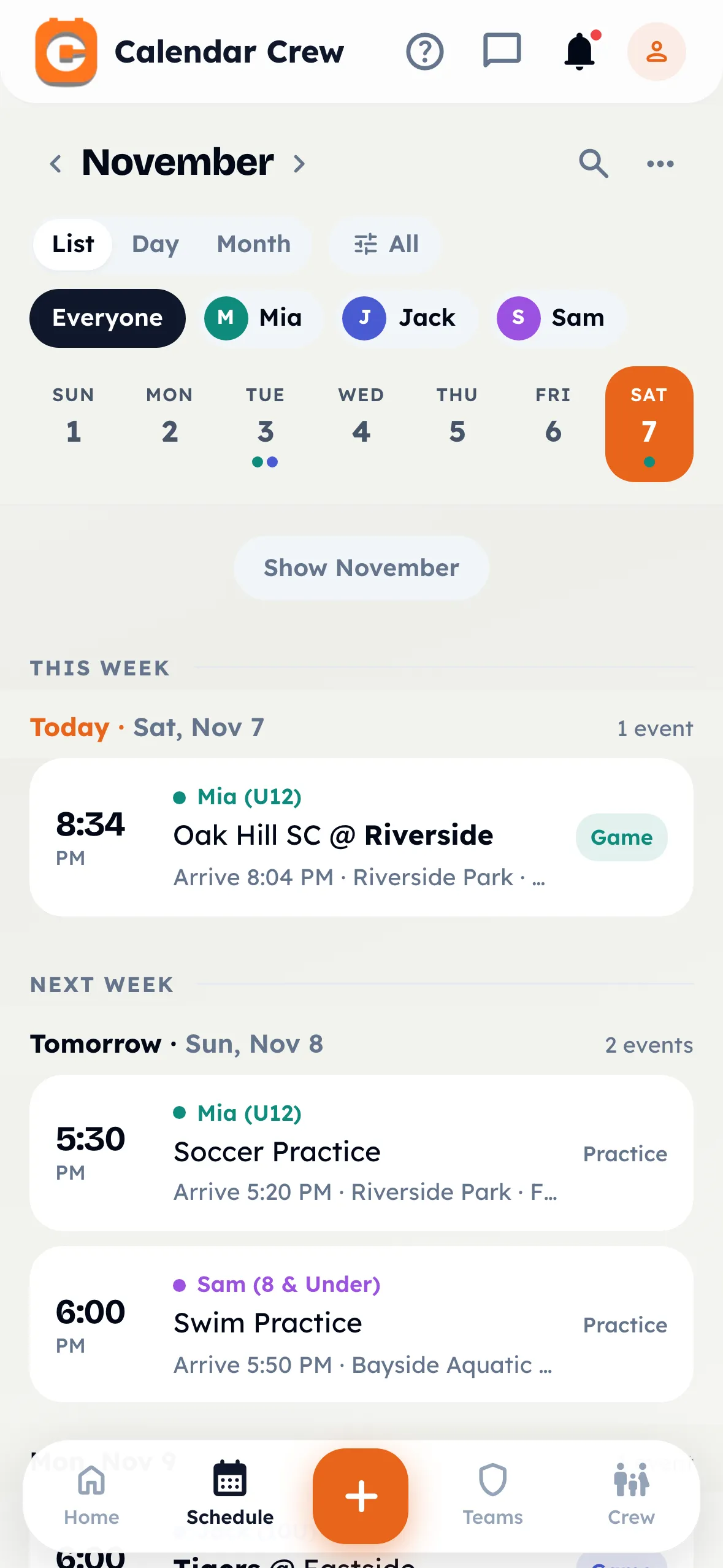
Each kid has their own color, so a week with three kids on four teams still reads at a glance. Switch between day, week, and month, show one kid or just the games, and search the whole season.
- Two-way Google Calendar sync, so it matches the calendar you already use
- Overlaps flagged, and the same game from two places kept as one
- Export the calendar to any other app
Game day
Rides, RSVPs, and Snacks, All Sorted.
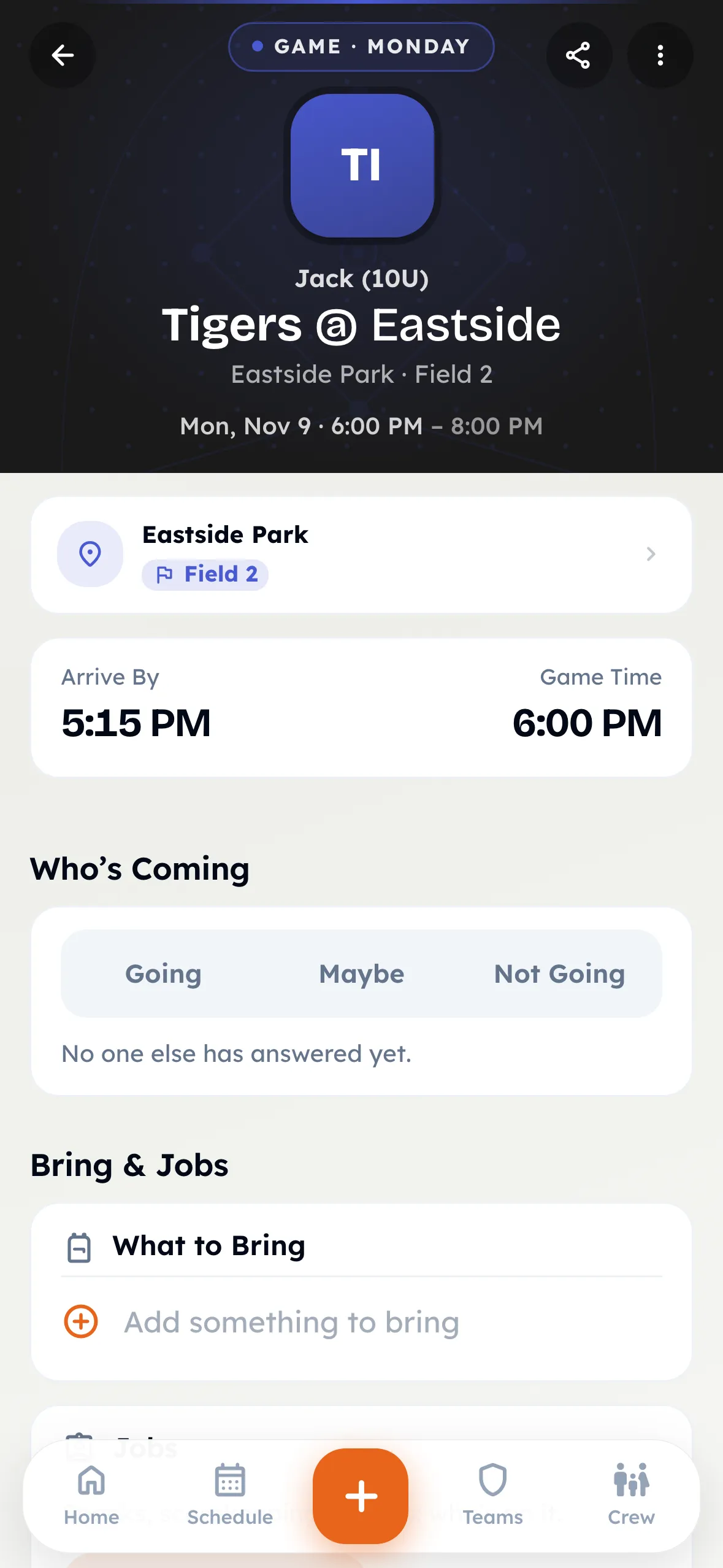
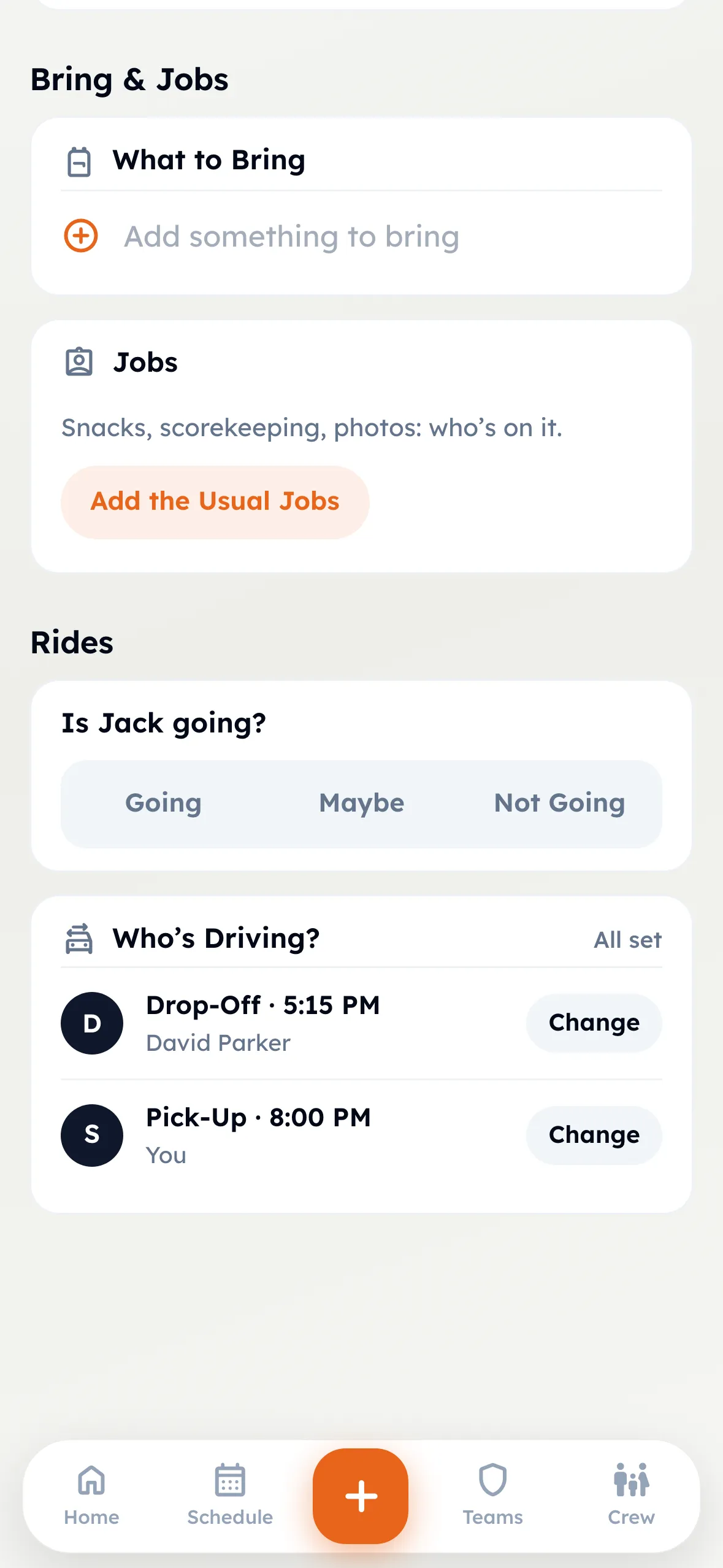
Every game has a drop-off and a pick-up to claim, so nobody has to ask who's driving. Your crew answers Going, Maybe, or Not Going, and the What to Bring list and jobs like snacks and scorekeeping live right on the game.
- Drives that still need a driver show up in the evening heads-up the night before
- A chat for each game, for the questions that come up
- Directions to the field in one tap
- Works at the field with no signal: your schedule and the address are kept on your phone
Share with your crew
Grandma Sees the Games. You Choose the Rest.
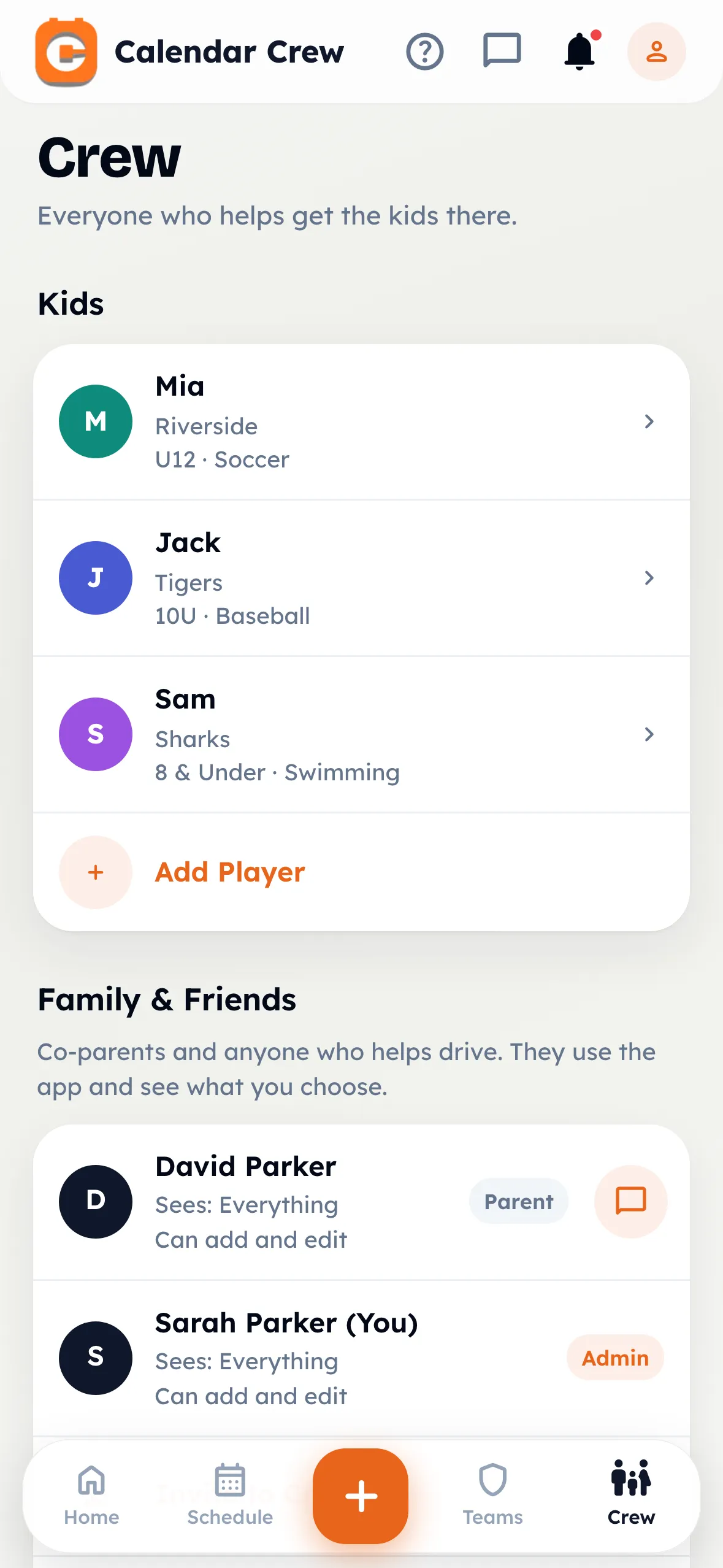
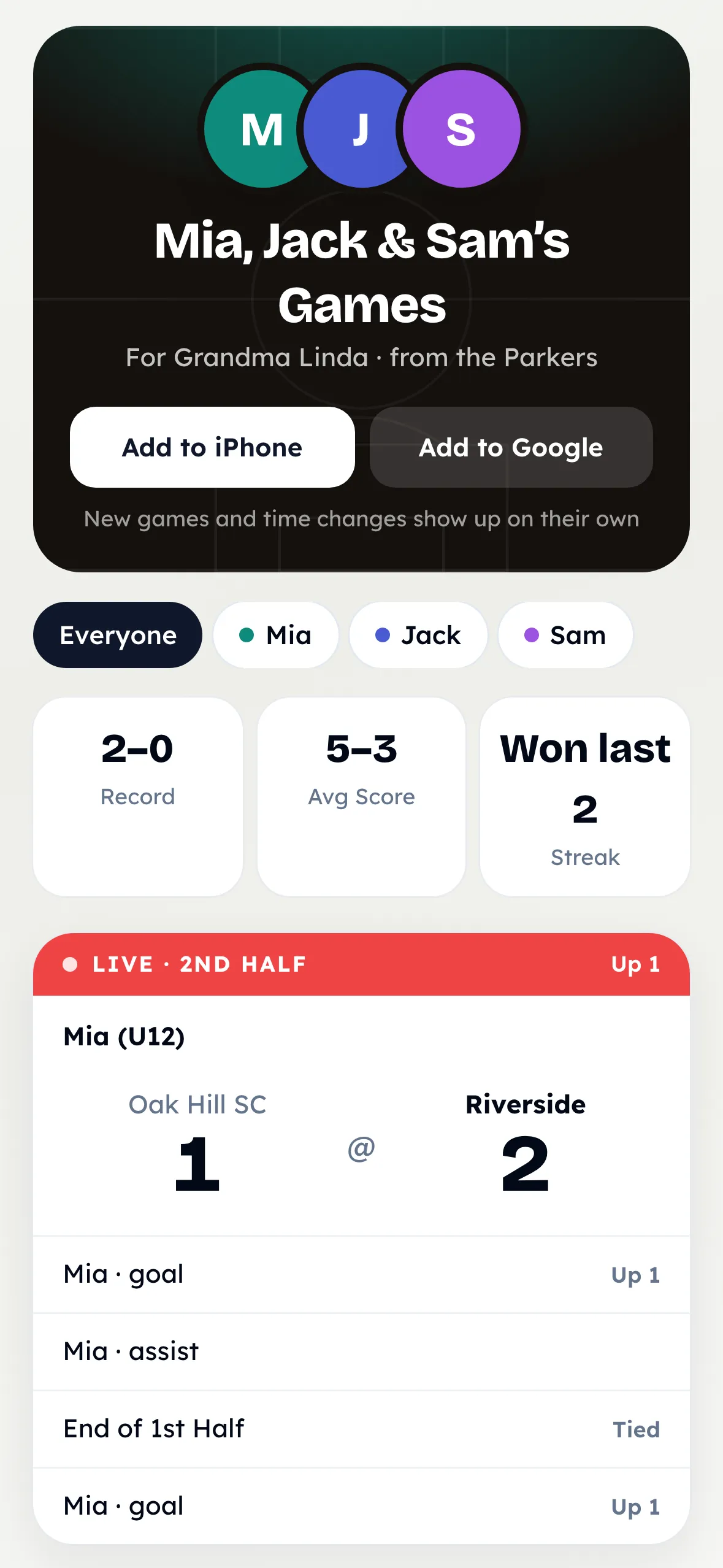
Co-parents and the people who help drive use the app, each seeing just the kids you choose. Grandparents and family friends get a private link instead, with no app or account, showing the kids, games, and details you pick.
- They can add it to their iPhone or Google calendar, and changes show up on their own
- Live scores on their link while the game is on
- Turn a link off any time, and it stops working right away
And more
The Little Things That Add Up.
-
Alerts That Matter
A time-to-leave nudge for whoever is driving (Crew Plus), one clear alert when a game moves, is canceled, or is removed, quiet hours, and an evening heads-up about tomorrow.
-
Your Week Ahead
Every Sunday evening, the coming week for every kid, starting with what needs you: two places at once, drives with no driver, and changes. On your phone, or by email.
-
See What Changed
A moved game says so for a week, like “Moved from Thu, Nov 19” or “Was 5:30 PM”. Meets listed as TBA wait as Time TBA instead of a guessed time.
-
Leave on Time
The game page says when to leave, counting the traffic expected then and a few minutes to park. Family who aren't driving see how far it is from home.
-
Live Scoring →
Keep score with buttons made for your kid's sport, with quarter scores and a play-by-play. Both parents can score at once, and grandparents watch it live.
-
Game Recaps
The final score, stats, and photos stay with each game, and a recap page opens for anyone you send it to. AI-written recap stories come with Crew Plus.
-
Family Chat
A chat for every game, plus one-to-one and group chats only their members see. Everyone in your crew has a Message button, and messages reach them by email if their alerts are off.
-
Teams and Coaches
Coaches post announcements every family on the team gets, and message families directly. Each team keeps its roster, grade, and logo.
-
Every Team App, Brought In
Two-way Google Calendar sync, calendar links from GameChanger, Heja, ParentSquare, your school, or any league site, and one-click TeamSnap. Free covers up to two teams, and Crew Plus covers as many as your family has.
-
Theater, Dance, Music, and Scouts →
Rehearsals, performances, and call times sit right next to game day, with no scores or opponents where they don't belong.
-
Kids You Cheer For
Grandparents, aunts, uncles, and family friends can follow the kids they cheer for, while rides and jobs stay with the parents.
-
Private by Design
Nothing is posted to a public team feed. You choose what each person sees, and you can delete your account and data whenever you like.
See It for Yourself.
Join the early-access list and we'll email you the moment a spot opens up.
Free while in early access. No credit card.