
One family calendar
Every Kid, Every Team, One Calendar.
Calendar Crew puts every practice, game, and tournament for all your kids in one family calendar, whichever app, website, or flyer the schedule came from. Each kid has their own color, overlaps are flagged before game day, and your co-parent sees the same up-to-date week you do.
How It Works
- 1
Add Your Kids
Each kid gets their own color, plus their teams, grade or level, and sports.
- 2
Bring In Every Schedule
Snap a flyer, paste a link, connect TeamSnap or Google Calendar, or say it out loud.
- 3
See the Week at a Glance
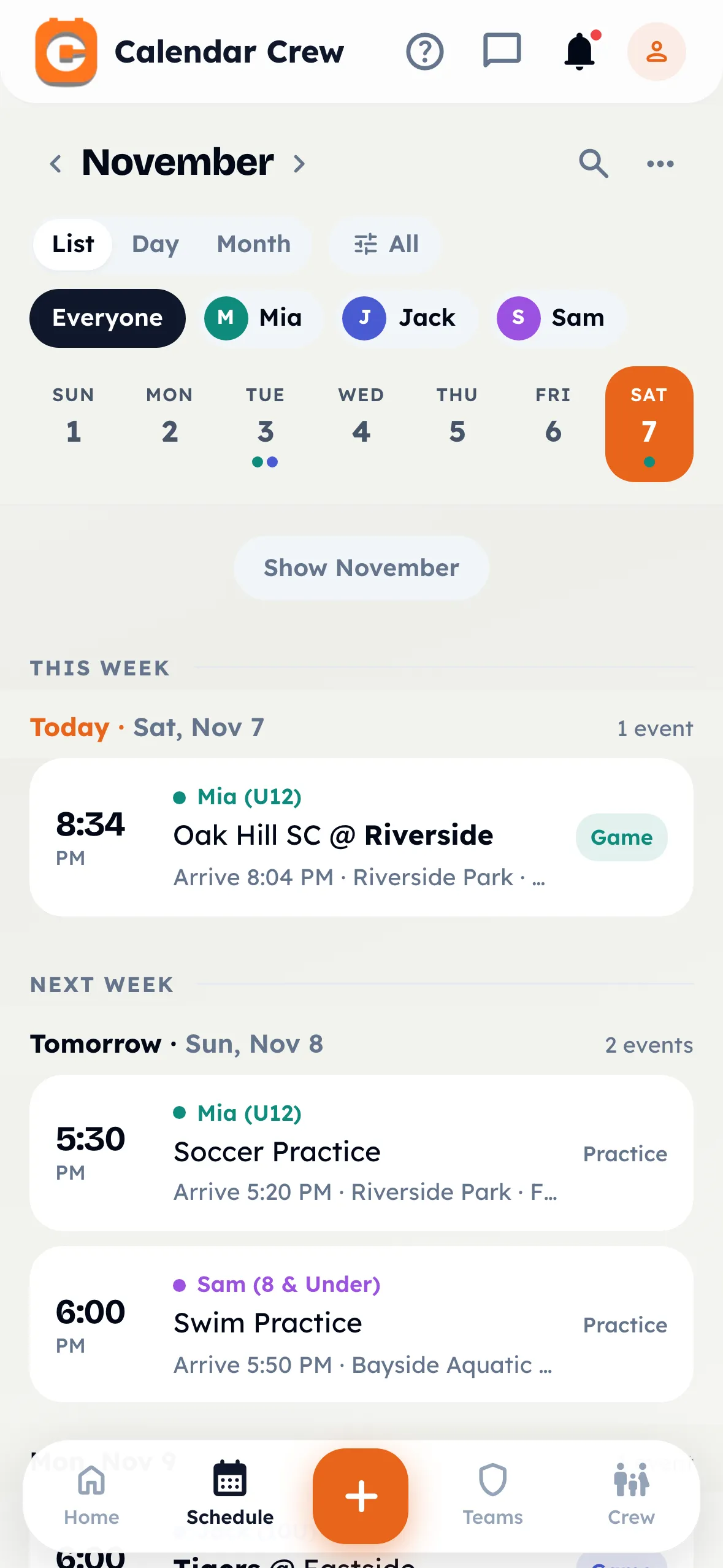
Day, week, or month, for everyone or one kid, with games, practices, and tournaments labeled.
Built for Three Kids on Four Teams
A busy week reads at a glance because every event carries its kid's color. Show one kid or just the games, switch between day, week, and month, and search the whole season.
- A color for every kid, on every view
- Overlaps flagged before game day
- The same game from two places kept as one
Open It and See What's Next
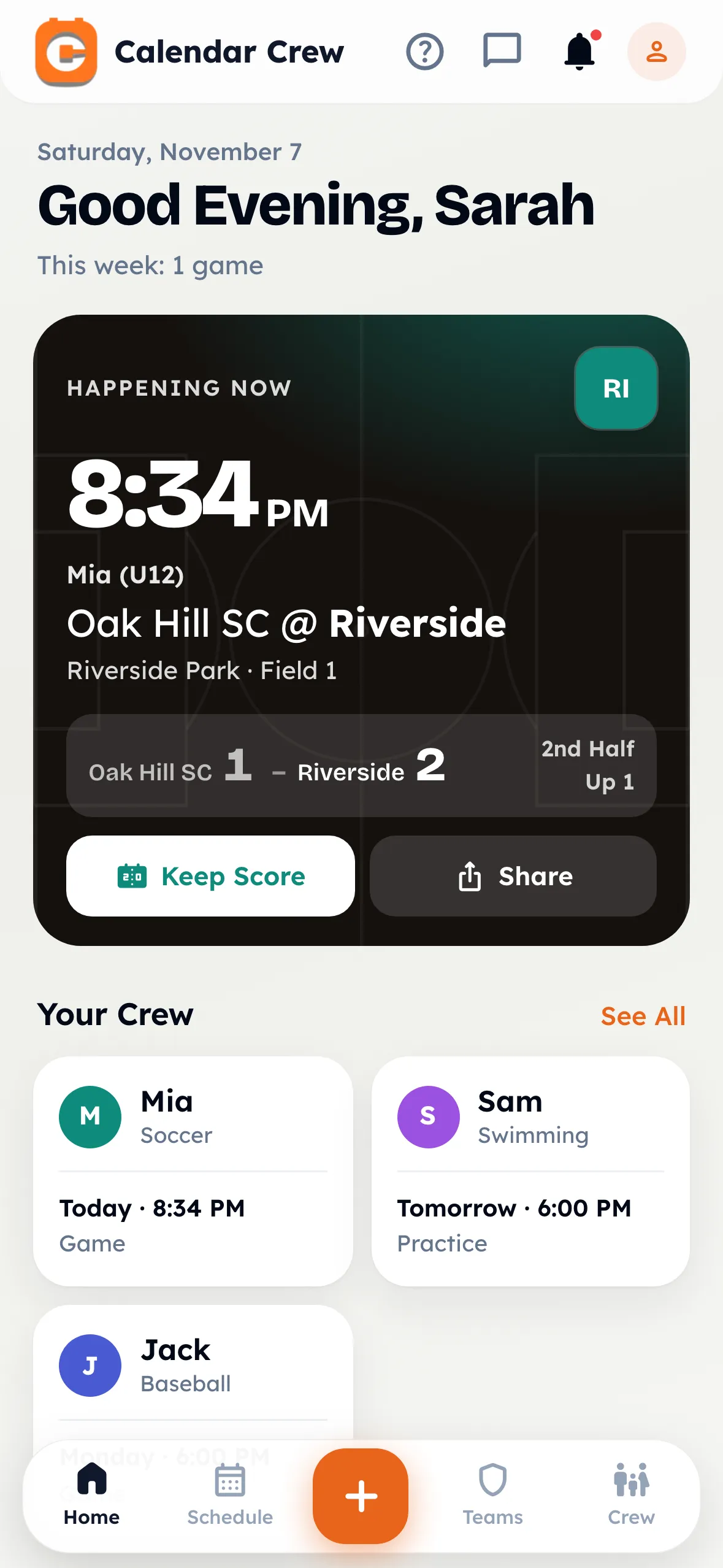
Home starts with the next thing on the calendar: the time, the place, and when to arrive, with directions one tap away. Under it is each kid's next practice or game.
- An arrive-by time that allows for warm-ups
- One clear alert when a game moves or is canceled
- Your Week Ahead every Sunday evening, starting with what needs you
Matches the Calendar You Already Use
Two-way Google Calendar sync puts the kids' games in Google and your Google events next to them, and Calendar Crew can be added to Apple Calendar too. You can export it to any other calendar app too.
One Family Calendar
Common Questions.
Can I see just one kid's schedule?
Yes. Tap a kid's name to see only their events, or show just the games. Each kid keeps their color on every view.
Does it sync with Google Calendar?
Yes, in both directions. Your kids’ games show up in Google Calendar, and your Google events show up next to them in Calendar Crew.
What happens when two events overlap?
Calendar Crew flags the overlap ahead of time, on the calendar and in Your Week Ahead each Sunday, so you can sort out who goes where.
Can my co-parent see the same calendar?
Yes. Invite them to your crew and they see every kid and can add and edit events. One plan covers everyone in your crew, with no charge per person.
Get Your Season on One Calendar.
Join the early-access list and we'll email you the moment a spot opens up.
Free while in early access. No credit card.